Legal automation
Expert Exam Agent
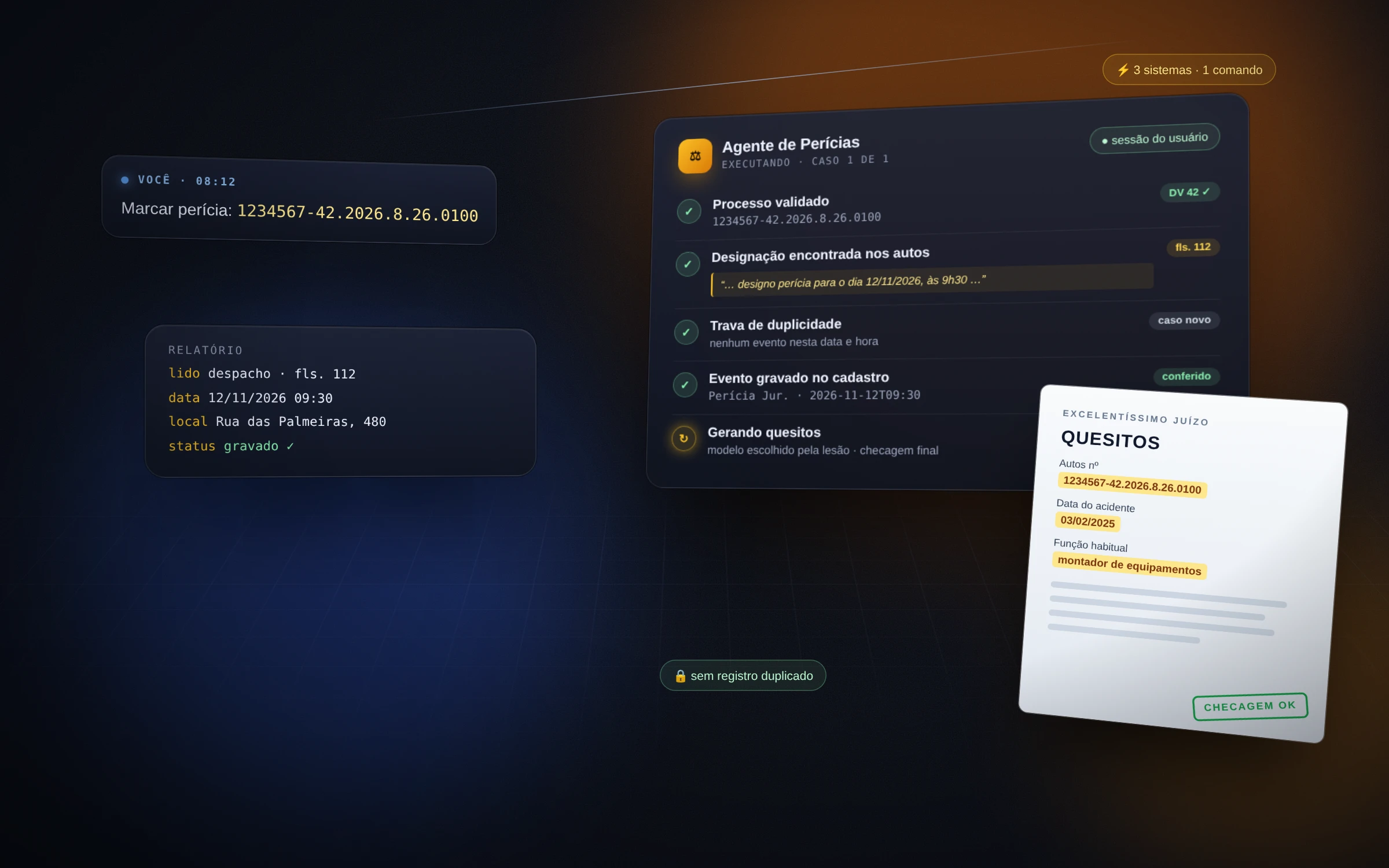
An AI agent that schedules court-ordered expert exams on its own across courts in 17 states: finds the date in the case file, records it in the firm's system and generates the expert questions as a PDF — never a wrong date, never a duplicate.
- states with mapped courts
- 17
- per exam, from case number to PDF
- ≈2 min
Architecture
- Tampermonkey
- PowerShell
- pdf.js
Features
- Reads scheduling tasks from the practice-management system, validates the case number's check digit by script and tells from the number itself which court and system to open — a wrong number goes back to whoever asked, never "corrected".
- Navigates e-SAJ, eproc, PJe (11 courts) and Projudi across 17 states, each with its own sheet: where the digital file is, how to open the document, how to download the PDF.
- Finds in the case file the document that schedules the exam — the expert's petition, an act or a ruling — and reads date, time and address straight from the PDF; the document's date rules, never the notification's. Downloads the ruling and reads the petition, its amendment and the accident report for the questions.
- Decision table with seven situations (new case, same date, resumed run, re-designation, rescheduling, unknown situation, incomplete) and a duplicate lock checked before opening and before saving. Rescheduling marks the old event as not held and hands over a ready WhatsApp notice — flagged urgent when the client already knew the old date.
- Questions: 29 templates picked by the injury on the accident report, filled in Word and exported as PDF; in SC and RS they go through the court's own system. They run in a background queue (about 2 s per PDF) while the next case starts, and are only saved if the final check passes.
- Read-only mode to simulate without saving, sequential batches that resume from the same step if a system goes down, a standard report that separates saved, needs-attention and file-only cases; an unknown situation makes the agent stop and ask.
Infrastructure
- A Claude skill driving Chrome with the user's own session — the agent never types a password or clicks Sign in; court logins are the user's, with their certificate.
- A Tampermonkey userscript with 81 functions loaded on 25 portals: the agent calls one line instead of pasting 40 KB of script per exam. Fixed rules become scripts, not judgment: 23 scripts in JavaScript, Bash and PowerShell handle validation, dates, deadlines, downloads and PDFs.
- Documents read through the PDF text layer (pdf.js in the page itself and pdftotext), with canvas and screenshots only for PDFs with scrambled fonts.
- Questions generated in PowerShell over Word, in a hidden instance on a copy of the template, never touching the originals; saved to the month's folder in Google Drive.
What it solves
- A routine that went through three systems becomes a case number pasted into the chat: about 2 minutes per exam, down from 10 in the first version.
- No wrong dates and no duplicate records, even when a run is interrupted and resumed.
- A new court doesn't break the flow: read-only mode maps the path once and it applies to every case from that state.
- The team is free for what needs a lawyer: reviewing and filing.
Want something similar?
Tell me how your process works today. In a quick call I get to know the problem and send a proposal with scope, timeline and price.